Use the Easy Online Application Process
- The Online version follows the hard copy version.
- Simply type in your information for each Section.
- Sections marked with a red asterisk MUST BE COMPLETED.
- When finished, you can either click the SUBMIT button or review your application by pressing PREVIEW PDF.
- The PREVIEW PDF downloads to your desktop.
- You can save the PREVIEW PDF and print the PDF from your printer.
- Call the Rebate Team for help (937) 203-2322
Steps:
- Page 1:
- Section 1: Upload / Attach Supporting Documents*
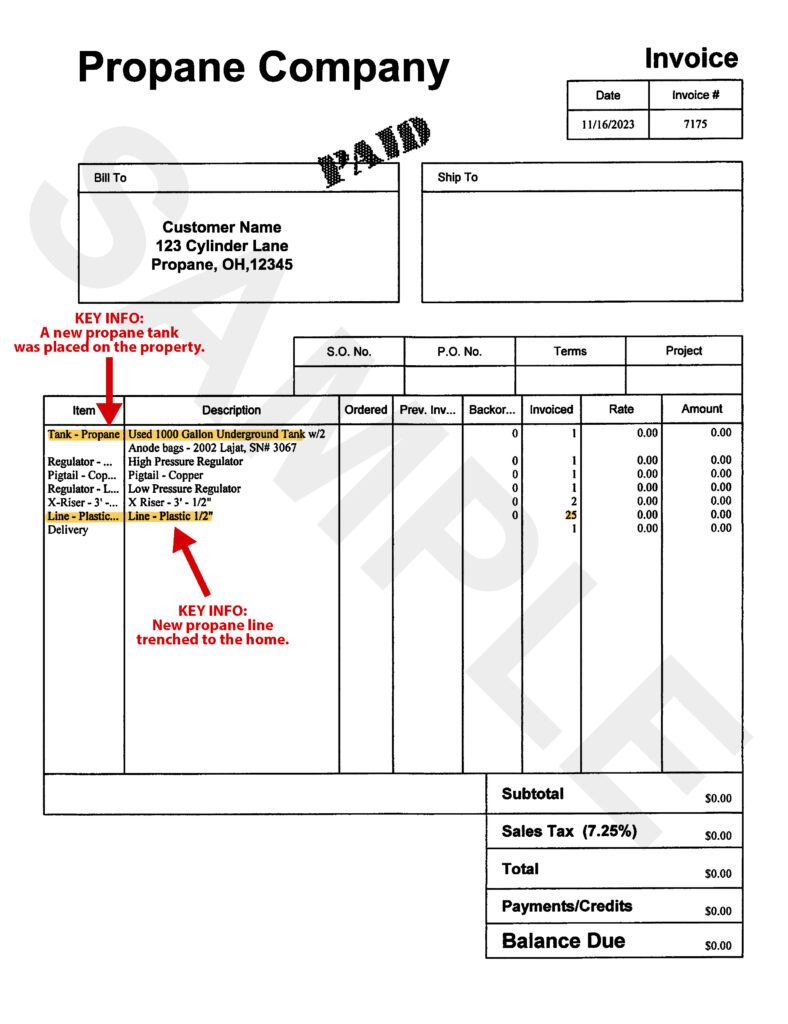
- Paid in Full Invoice / Receipt of Propane Unit
- Propane Work Order (not required if propane to propane)
- Section 2: Appliance info
- Section 3: Customer info
- Section 1: Upload / Attach Supporting Documents*
- Page 2:
- Section 3: Licensed Installer info
- Section 4: Propane Safety Inspection info
- Signature Required Section:
- Sign with a mouse, a table pen, or a finger as the Safety Inspector with your Customer and date it
- (optional) Download PREVIEW PDF to Desktop for your records
- Press Submit Button
If the application is completed and submitted correctly, you should receive a confirmation email at the address provided during the application process.
*Rebate application will be denied if any of the above items are missing.